We use cookies to enhance your browsing experience, analyze and measure engagement
with
our content. By clicking “Accept”, you consent to the use of cookies. For more
information about the Cookies, see our
Cookies Policy
and
Privacy Policy
here.
Accettare
Declino











FAQS
Does the Cyclops 335L 3.0 have an EIS function?
No, the Cyclops 335L 3.0 is not equipped with EIS.
Does the Cyclops 335L 3.0 support digital zoom?
Yes, it does. Press the “+” button on the device to zoom in and out.
Can I purchase a laser module to replace the one on the Cyclops 335L 3.0?
No, we do not sell the laser module separately in order to ensure overall device stability.
How stable is the image on the Cyclops 335L 3.0?
It leverages AI deep learning to maintain optimal image quality for up to one hour without calibration.
Can I purchase a laser module to replace the one on the Cyclops 335L 3.0?
No, we do not sell the laser module separately in order to ensure overall device stability.
Can I purchase a laser module to replace the one on the Cyclops 335L 3.0?
No, we do not sell the laser module separately in order to ensure overall device stability.
What should I do if Borrection and Blind Pixel adjustments don’t improve the image?
Please contact our technical support team for assistance. Our technicians will perform temperature data collection to diagnose the issue.
Why is there excessive noise after long periods of use?
Avoid using the device in high-humidity conditions, as this may affect thermal imaging performance. We recommend using the automatic image correction feature.
I remove the battery and charge it?
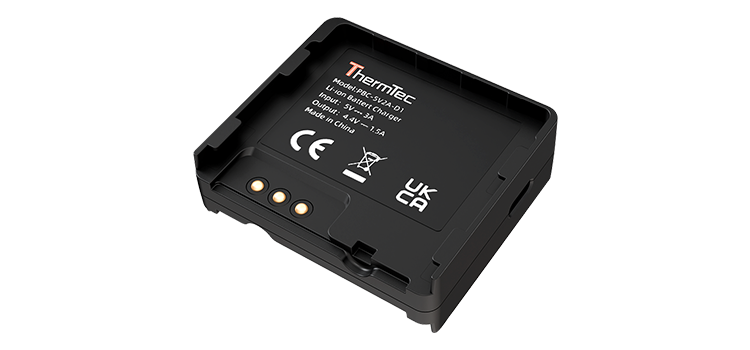
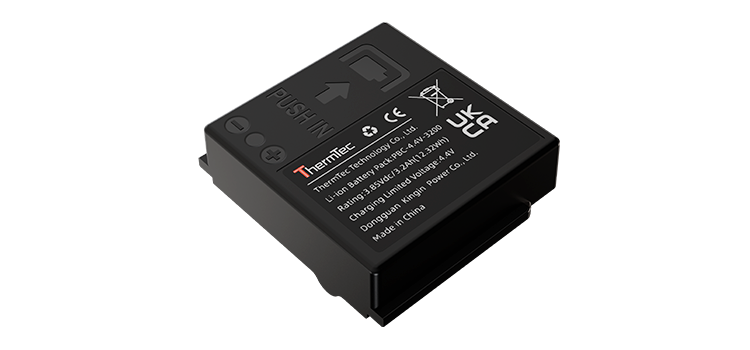
Yes. A charger is included in the box, and the battery is both replaceable and rechargeable.
What is the difference between an integrated laser and an external one?
10.The integrated laser is factory-calibrated for precise alignment, requires no additional mounting or adjustment, and offers more reliable, waterproof, and durable performance compared to external lasers.
Can I transfer videos and photos to my phone?
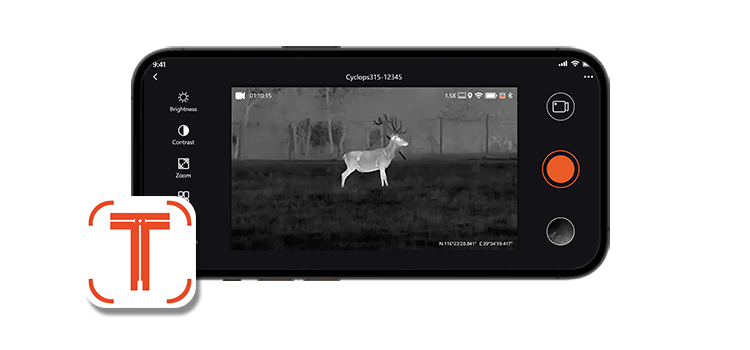
Yes. First, connect the device to the “ThermTec Outdoor” app, then you can download videos and photos to your phone.
How can I update the firmware if needed?
12.Updating via PC is the most secure method:
1.Download the upgrade package from the official website.
2.Connect the device to a PC using a Type-C cable and power it on.
3.Unzip the package, copy the .pkg file, and paste it into the device’s storage folder.
4.Go to device settings, select the upgrade option, and confirm.
The device does not power on after inserting the battery? It does not charge via USB?
Please note that Ventus series batteries must be installed in opposite directions (one positive, one negative). The Ventus series does not support charging via the Type-C port.
Why can't the Ventus focus clearly?
① First adjust the diopter ring and set the correct interpupillary distance until the OLED icons appear clearly.
② The left wheel adjusts the infrared thermal image, and the right wheel adjusts the visible light image. Adjust according to actual usage.
The infrared image quality slightly decreases after long-term use. How to adjust?
Briefly press the right button (marked with the right-click symbol on the handle/body) once to perform image calibration.
How to switch between the infrared thermal channel and the visible light channel?
To switch between infrared and visible light channels, briefly push the scroll wheel (on the device) forward once — away from you.
How to switch to night vision mode in visible light mode?
Click the left button once to switch to night vision mode.
Why doesn’t the fill light turn on after switching it on?
Ensure the fill light selector is set to either 850nm (I) or 940nm (II), the device is in night vision mode, and adjust brightness using the right button.
How does auto screen-off work?
First, locate the proximity sensor (below the power switch).
After enabling the proximity sensor function in the menu:
- Within 5 cm: the screen turns on automatically.
- Beyond 5 cm: the screen turns off automatically.
Note: When the power switch is in Standby mode, the proximity sensor will not function.
Is there image stabilization?
Yes. Enable EIS in the menu (default is Level 3 for strongest stabilization). Double-click the left button to switch levels.
Level 1: Smoothest image, suitable for relatively static observation.
Level 2: More stable image with noticeable stabilization, suitable for moderate movement.
Level 3: Very strong stabilization with slight image delay, suitable for highly stable viewing.
Note: EIS is not effective at 1x zoom. It works from 1.5x and above.
What is FOV Sync?
When enabled, both infrared and visible channels zoom proportionally. Adjusting zoom in one channel automatically adjusts the other, maintaining the same field of view and reducing visual discomfort when switching.
Why doesn’t PIP display after pressing the button?
Enable PIP in the menu and select the channel for the PIP window before using the button.
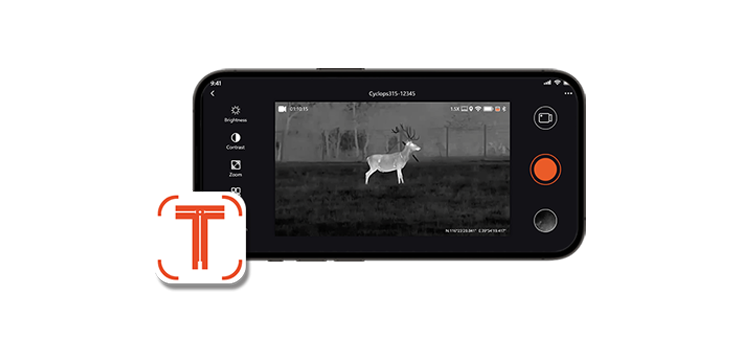
Is there an app to connect the device?
Download the ThermTec Outdoor App:
https://www.thermeyetec.com/thermtec-outdoor-mobile-app/
Or scan the QR code on the product packaging.
System requirements:
- Apple: iOS 15.6 and above
- Android: Android 8.0 and above
How to connect the device to a phone?
- Enable WLAN on the device
- Open WiFi settings on your phone
- Connect to the WiFi named with device model + serial number
- Enter default password: 12345678
- Open the app to view connection status
What are main updating points for the Wild DL ?
1. More stable Joystick operational ability.
2. In-built LRF in the lens.
3. Fast battery cover swap for opening and closing.
4. NETD up to 15mk.
5. Eyecup with the ergonomic and comfortable design.
What about the AMOLED screen of the Wild DL, still 1024*768 resolution ?
AMOLED up to 1600*1200 with the larger screen.
How can I clear away surface of itself when there is much dust on the lens ?
Dust-free cloth with ethyl alcohol to clear it.
Black spot or visible soiling on the screen
Take down monocular and clean the blot on the OLED's surface.
How can I enter the standby ?
Briefly press power button with one time, after again,there will be on normal mode.
How is the optical zoom level with the Wild DL ?
25/50 lens for 2x optics to make image defined at the different field.
What about charging type is in the Wild DL series ?
Basically, there are two kinds of charging method with the type-c and power bank.
Does the Wild DL series have WiFi module ?
No,it can connect to mobile phone via the hotspot only.
Why is the image blurry when I get a new monocular for the Wild DL ?
The requirement that you should adjust diopter level which is suitable for your eyes to the OLED firstly,then you would change a little bit focus level of the objective lens. For more details you can refer to the related user manual.
Wild DL series can measure distance in some of object,example birds,wolf,boar etc. right?
LRF can support this function only.
Why I can't find AI ranging menu, does Wild DL have the AI ranging ?
No, AI rangfinder function is not integrated into the firmware of this series.
What function is the shutter in the monocular ?
Bassically, infrared lens is more influenced by temperature changed,so the shutter has to eliminate offset temperature which ensures output defined and uniform thermal image constantly.
Monocular file can't appear or save in the PC.
1.Ensure Type-c cable is normal, and power on monocular.
2.Format the memory chip of device.
Why the view has too much noise in long running.
Since you know infrared image is easily affected by surrounding, please check if image correction is manual or not.Generally, we recommand you set a automatic mode in the monocular.
The measuring distance has large error in the Wild DL.
1-4x for Wild, more details pls find the datasheet.
Why does digital zoom seems like 2x in the minimum zoom ?
You probably enable PIP function, close this function to back zoom out 1x.
Charging indicator always switches red and blue light after Wild connects to PC.
Maybe problem is that battery defect or uninstalled battery into it.
There is no navigation bar on the upper right corner when I play the video.
Probably the OSD is off, please enter the menu to enable this function.
Dim image effect.
Brightness level isn't enough, enter image menu to adjust image brightness or something, for detail steps pls refer to user manual.
Why the image seems like a bit of blurry in one of two lens of the Wild650DL Pro ?
1. Please ensure two lens are respectively switched in itself ultimate position when you observe the object.
2. Confirm the far focus to be clear image firstly.
Can I get the infrared lens towards sun directly ?
Please avoid to face the sun, its easy to damage detector. Maybe you should power off device and cover the lens lid around 2 weeks later,then itself can recover normally when user is operating neglectfully and shortly.
Joystick is out of order.
Circuit board of the key,please replace it or send device to service center.
Why image seems like lock at a moment when I press joystick or surroundings to changed.
Our monocular series adopt shutter design,and factory default is auto mode for the shutter usually, so the monocular would like to timely calibrate the image base on surrounding changed or even joystick enabled.
Monocular can't be powered on.
1. Battery level is poor,re-charging battery.
2. Change battery or send device to the service center.
Upgrading defect
Might your operating methold is an incorrect,please follow this:
1. Copy the unpackage to put disk Storage of the monocular immediately.
2. Enter main menu to find Update option for upgrading this firmware.
Why does the lens always show sole lens when I switch dual fov lens with the device ?
1. Check firmware is correct or not.
2. Perhaps a cable of the dual lens is connected incorrectly, please contact agent or service conter.
There is no any sound when I enable shutter for switch.
Probably the shutter defect, please try to send service center.
The image is always on the cat eye state when I boot up monocular.
Please firstly start up the device, then hold the capture button and meanwhile press the OK button till device restarting, then remember to update the latest firmware again.
White flecks are generated on the images, which looks like a little bit burnt.
1. Minor detector burns, cover the lens cap and turn off the device, leave it for 1-2 weeks and the device will recover itself.
2. Severe detector burn please contact agent or thermtec's service center.
Wild DL won't boot up or charge anymore even if I change battery.
Check charging module is damaged or not.
Wild DL shows a cat eye in the screen after changing detector or main board.
The reason that is due to detector module is an incorrectly connecting with the main board, please review your assembly.
How can I find the EIS function in the Wild DL ?
It's different with the early Wild series, current series can not support EIS function.
How could I charge my IBEX, could I charge my device directly via type-c cable?
Two charging methods are available for IBEX. Charge directly via a Type-C cable with the battery installed, or remove the battery and use an external charger. The battery is replaceable.
What's the TASS for the IBEX? How to enable it?
TASS function always ensures a perfectly observational experience from high digital zoom back to the minimum zoom automatically when shooting moment, and TASS requires RAV enabled at first.
What's the circular/square screen switch?
We offfer two different screens to let users choose, which are circular and square. Users can switch in setting according to their own preferences.
How to upgrade IBEX?
The upgrade manual can be found under Support > Downloads > Technical Documents.
How far can laser of IBEX measure distance ?
he laser rangefinder has a measurement range of 1000 meters, featuring an innovative integrated design for the laser ranging module.
What size or resolution for IBEX?
IBEX is equipped with a 0.5-inch screen and a resolution of up to 1600×1200, redefining the entry level for thermal scopes.
What's the ballistic calculation?
Ballistic trajectory refers to the flight path of a bullet fired from a firearm. It accounts for factors like gravity, air resistance, and initial velocity which specifically related to trajectory, plays a crucial role in shooting accuracy. This function only exsits in devices with laser section in our company.
How to remove dots on the screen?
The solution varies with the dots series.
1.Dots may appear on some devices after an upgrade. This is a rare occurrence. Resolve it by using the Blind Pixel function in the device, or contact the store of purchase for warranty support. For additional technical assistance, reach out via support@thermeyetec.com.
2.Accidental operation (e.g., aiming at a high-temperature source) can damage the sensor, requiring component replacement. Contact the store of purchase for warranty support, or reach out via support@thermeyetec.com for technical assistance.
What's the SFP and FFP to the reticle?
SFP (Second Focal Plane) and FFP (First Focal Plane) refer to the placement of the reticle in relation to the magnification system of a rifle scope.
What's the function of PIP?
PIP, or Picture-in-Picture, is a feature in scopes that allows you to have a secondary zoomed-in image in a small window while maintaining the primary view. This is particularly useful in shooting scenarios where you need to switch between a wide field of view and a more focused, zoomed-in view without having to change the magnification of the entire scope.
The laser rangefinder doesn't work while I operated LRF function on the button.
If the laser rangefinder (LRF) fails to work when the LRF button is pressed—even if the function is activated in the menu—contact the store of purchase or ThermTec for further assistance.
The cover of IBEX can be taken out?
Yes. The IBEX package includes two covers, both of which are detachable.
How could I charge my device, could I charge my device directly via type-c cable?
Yes, you could charge the battery via charger or directly with the type-c cable when the battery installed on the device.
Can the Hunt LRF support be remotely controlled?
The Hunt LRF can be remotely controlled via Bluetooth Remote Control Ring.
Can I take Hunt LRF as a monocular?
Sure, you can. Enter the main menu and find the Eyepiece Type option. You can switch between monocular or clip-on mode based on your needs
How about the stability of images?
It avails the benefits of AI deep learning which could maintain the ideal image quality nearly 1 hour without calibration.
Does the Hunt LRF include the adapter for day scope? If it doesn't, what adapter do you recommend?
The Hunt LRF doesn't include the adapter, the standard size of adapter connecting thread is M52*0.75, you could buy the suitable one referring to the given size.
Do I need to re-zero the Hunt LRF every time I take it apart?
No, you don't need to but if you install it with other day scope, it needs re-zero for sure.
How much is the in-built memory of Hunt LRF series? How can I download the images and videos to my phone?
64G. Please connect the Hunt LRF to the APP with your phone, then you will be able to download the images and videos.
Hunt LRF was stuck at the Thermeye when I upgraded the device, what should I do?
Please keep the device powered on and enable the fallback procedure by pressing the up and down button at the same time for about 6 seconds, after the rebooting, upgrade the device via PC this turn.
How does the ballistic calculation (Trajectory) work?
The ballistic offset is calculated based on parameters such as distance, wind speed, and gravity, and then compensated by shifting the entire screen. This ensures that the aiming point precisely matches the bullet's impact point for accurate shooting.
Can I import any ballistic data to the device?
Yes for sure. First need to connect the device to the phone app “ThermTec Outdoor”, then users can set up the presents for ballistic data. Before importing the data please quit the setting interface of ballistic calculation on the device.
What’s the pre-zeroing?
We will perform pre-zeroing on the Hunt LRF device to ensure that the user’s initial shot lands as close as possible to the aiming center. This helps prevent missed shots during the first sight-in attempt and facilitates the zeroing process for the user.
Can I adjust the size of UI on device to fit my day scope magnification?
Yes. Long press the “+”to adjust the size of the UI on the screen to matcha the magninfication of the day scope. There are three levels.
How can I update the firmware if it’s needed?
Upgrade via PC is the most secure method. 1. Download the upgrading package from the official website. 2. Connect the Hunt LRF to the PC via type-c cable and switch on it. 3. Unzip the package, copy the pkg file and paste it to the Storage folder of the device. 4. Enter the device settings, select the upgrade option and confirm.
What’s the E-Zoom on Hunt LRF?
The E-Zoom is intended to magnify the image of the aiming point under low-magnification day scope, thereby revealing details of the target area and making the shooting position clearer and more precise. The magnified view will be displayed in a picture-in-picture format at the center of the screen. Simply press the "-" key once to activate it. It’s the same way to turn off the E-Zoom function. About the settings, please refer to the User Manual to set it up.
What should I do if I lost my eyepiece cover?
You could contact the store you bought the device for spare part needs.
What should I do if my scope eyepiece suffer stucking situations when I put it back.
The stuck situation could be broken by proper impact over the eyepiece, then take the eyepiece apart, install it back carefully this turn.
What should I do if the detaching diopter happen to my Oryx.
The diopter could be back to normal situation by applying some quick-drying glue.
1. Take the diopter apart.
2. Apply some quick-drying glue to the interface edge of the diopter.
3. Screw the diopter back and wait until it's dried up.
My device can't be turned on sometimes, I have to shift the battery installing position.
The battery installation is fixed, only positive towards internal could work.
Its capacity up to 6000mAh with the 21700 model.
How could I charge my device, could I charge my device directly via type-c cable.
Actually there are 2 methods for you, but you may require combining the 2 methods together to achieve full battery charging, like to be charged through the type-c cable, or replaceable battery should be charged by external charger.
The device can't be turned on though I put the batteries in the correct way.
Exclude the batteries reason, it's also necessary to consider the battery compartment too.
1. Replace a new battery cap.
2. Check the internal battery holder if it's damaged, please conatct where you bought for after-sales service.
I'm pretty sure my batteries are full charged, battery compartment is alright, but I still can't turn on my device.
What's discribed above highly from an abnormal button board or main board, while either way requires repairing for sure, please contact the place where you bought or contact ThermTec for further help.
What's the difference between AI rangefinder and laser range finder? How to enable the function?
To put it more acceptible, it could be said like there are the pros and cons for the 2 features.
AI Range finder:
Advantages: It's less consuming of batteries, and it could measure multiple targets in one scene.
Drawbacks: Not as accurate as laser rangefinder.
Laser Rangefinder to be integrated on the lens:
Advantages: It's quite accurate, and based on its function, there are some like ballistic calculations are introduced.
Does Oryx-L have inbuilt AI ranging ?
Never, just laser ranging.
The laser rangefinder doesn't work while I operated LRF function on the button.
Perhaps laser rangefidner is faulty even though this function is active from the menu, please contact the place where you bought or contact ThermTec for further help.
I once put some random values to the LRF-set to test if there is any different, now the ranging function is not accurate any more, could you help me with that?
The default laser-set is set already before leaving the factory, if it's modified for some unexpected reasons, please provide your serial number and device series with us, we will instruct you to set it to the correct one, you could contact us via support@thermeyetec.com
The live view looks pretty good through the APP but it looks vague through the scope.
Firstly, it's recommended to adjust the diopter ring, which is near the eyepiece, if proper adjustment makes no difference, it's highly from a loose diopter, please check if the dioper module has been loosened, please check the Eyepiece module_Diopter Detach.
I didn't find focusing knob where it is.
Oryx-L is new generation sight completely, this knob is designed in the middle and lower position of menu's knob.
The icons on the screen look alright, but the view looks through the scope seems to lose focus.
Firstly, it's recommended to adjust the focus knob, attention: if it 's no difference at all, it may suffer from a faculty focus knob.
It's recommended contact the store where you bought or contact us directly for warranty issue.
How can I select image mode either Forest or Rainy in the diverse weather ?
Here are totally two image modes, one is Forest that means a rather difference contrast value can be defined target to be view, but in the Rainy that means, I have to select Rainy mode to descrease reference of the surrounding energy(Rainy function will be added next verson).
There are many dots on the screen that can't be removed, I have tried many times of Blindpixels and correction but it makes no difference.
The solution varies with the dots series.
1. Sometimes it happens to some devices after upgradation and with such a rare situtaion, please contact us or the store where you bought for warranty issue. Any technical help is possible from the support@thermeyetec.com
2. Accident operation, like aim it at high temperature source, which will damage the sensor and requires component replacement. Please contact us or the store where you bought for warranty issue. Any technical help is possible from the support@thermeyetec.com
How I can't find any images and videos in my device, I took so many last night.
The storage may suffer abnormal occasion, what you need to do is connect the device with PC and format the storage, then the storage will get recovery.
Files with pictures or videos could be found via the type-c, but I still didn't see them at all from the eyepiece immediately.
High probability is from the communication issue between OLED and the main board, its recommended to contact the place where you bought or ThermTec for further help.
It looks like a large pixelated strings or unevent imaging background even though zoom at 1x.
Showing what existing firmware version is, furthermore, we suggest you copy and upgrade the latest firmware version first, for getting firmware from ThermTec's official website:https://www.thermeyetec.com/ or ask for the support@thermeyetec.com
I think my device is not working properly, I record many videos, and when I see it, I can't see the reticles on the screen, could you help me with that?
Please check if other icons are also invisible in the screen, if they are, please turn off the OSD function and record another video, check it again.
I put my device in the window with the power bank for supply and in order to record the outside view in the outside, while when I check it next day, it only has a 1.5hrs of recordings, does that the longest video we could record? how could we record longer time?
Actually, when you put the shutdown mode in 90mins, the device will shutdown automatically after 90mins, please check if the shutdown mode is set at 90mins, meanwhile, if you hope to set it longer hrs, please turn off the shutdown mode.
I knew that RAV function supporting recording videos automatically when there is a shot, but when I tried it I can't trigger the RAV function, could you tell me what should I do?
For different series, the RAV function may be set too high to be triggered, please check the following suggested values for the threshold.
It's suggested to set the value by 180 on the Oryx-L.
What’s the zeroing? Why and how should I zero my gun?
Zeroing a firearm is the process of aligning the sights or optics with the point of impact (where the bullet hits) at a specific distance.
It ensures consistency between where you aim and where the bullets actually strike.
Let’s see how to zero a firearm.
1. Make the target in the range, the target is often the tape or special target pad.
2. Aim the target and shoot at 100m(yard).
3. Shoot the target with the reticle.
4. Enter manual zeroing and adjust the reticle position(X/Y) to offset the deviation between aiming position and shot position.
5. Save the configuration.
I didn't find the physical knob where it is.
For more convenient user operation that this rotary knob is designed on the close to eyepiece, you can find the user manual of this how to use it in details, Thermtec website: https://www.thermeyetec.com/user-manual/
Why my Oryx-L has not Rainy mode now ?
Rainy model will be added next version very soon, please keep an eye on ThermTec website or outdoor app.
I downloaded the upgrading package in the official website, could you help me with the upgradation?
Upgrade via PC is the most secure method, let's follow the steps below to better learn how to upgarde it via PC(battery level must be enough before updating).
1. Download specific upgrading package and unzip the package.
2. Turn on the device and connect the device with type-c cable.
3. Copy the pkg file and paste it to the root file of the device.
4. Enter the device settings, select upgrade and confirm.
What's the OSD function? how to use it?
OSD is the abbreviation of On-screen display, which means whether show the menu icons and other info on the screen, generally speaking, when you record a video, you could decide whether the icons display on the screen or not through the function.
My device was struck at the startup screen, I have turned it on many times but it doesn't work, could you help me with that?
The device does equip with fallback procedure in case of accidental situations, if your device is stuck at startup scrren, please try the following steps to reboot the device and please reupgrade the device.
1. Turn on the device.
2. Press and hold on the capture button and laser rangefinder button around 10 seconds.
3. After restarting, please re-upgrade the device.
4. If the device can't be rebooted, please contact Thermtec for further inspection.
What’s the TASS for the Oryx? How to enable it?
TASS function always ensures a perfectly observational experience from high digital zoom back to the minimum zoom automatically when shooting moment, and TASS requires RAV enabled at first, as well as on TASS.
How can I add ballistic datas to the Oryx rapidly on the app ?
First, you should open the wifi of the Oryx makes your phone connect this, then you can create the ballistic file which one for your need, import the corresponding file in the Oryx.
Notice: In this case, make sure the configurating interface of the ballistic data should be shutdown in the device, otherwise, probably that can not be imported successfully.
How could I upgrade my device with the APP?
Upgrading via the device is really easy for you, video instructions could be found from belows(Android & IOS): https://1drv.ms/v/c/b4eef1c1db55d531/EecyKYh0S2NAnec5PumzHzwBUp3HVmqGKc79PcdWgOcQwQ?e=BUKAVT
https://1drv.ms/v/c/b4eef1c1db55d531/EcUPciPUHGVBrPnNQnGQUSsBCjtGDE6CeCoSf-L9DPhiHg?e=csixZM
Ineffective TASS function back to base magnification while shooting.
Here totally has these items to be considering:
1. Check both TASS's switch and RAV button are correspondingly active on first.
2. Probably the existing setting of the reticle is center mode.
3. PIP function enabled, which can be always 2x on the displayer.
What's the function of PIP?
PIP, or Picture-in-Picture, is a feature in scopes that allows you to have a secondary zoomed-in image in a small window while maintaining the primary view. This is particularly useful in shooting scenarios where you need to switch between a wide field of view and a more focused, zoomed-in view without having to change the magnification of the entire scope.
How far can laser of Oryx measure distance ?
Generally it can up to 1200m range. There is an innovative integrated design for the laser ranging module to be inbuilt the lens, for more convenient carry without the annoying obstruction anywhere.
How many size or resolution is the OLED upgraded ?
A larger OLED viewing screen with the 1.03 inch, in addition, the resolution up to 2560x2560 is to excentlly define how the visual experience should be, and as this large OLED that hunter will never feel eyestrain in all days.
What’s the SFP and FFP to the reticle?
SFP (Second Focal Plane) and FFP (First Focal Plane) refer to the placement of the reticle in relation to the magnification system of a rifle scope.
What’s the ballistic calculation(Trajectory)?
Ballistic trajectory refers to the flight path of a bullet fired from a firearm. It accounts for factors like gravity, air resistance, and initial velocity which specifically related to trajectory, plays a crucial role in shooting accuracy. This function only exsits in devices with laser section in our company.
Could I access the internet to broaden its functions?
All the devices are not supporting the connection with internet, more functions and features will be possible in the future.
What’s the NETD in thermal sensors?
NETD, or Noise Equivalent Temperature Difference, is a critical parameter in thermal sensors that measures their thermal sensitivity. It’s expressed in millikelvin (mK) and represents the smallest temperature difference the sensor can detect. A lower NETD value indicates a more sensitive sensor, capable of detecting finer temperature variations, which is essential for producing clearer and more detailed thermal images.
What’s the Lens F-number in thermal scopes?
The Lens F-number in thermal scopes is a measure of the lens’s ability to transmit infrared energy. It is the ratio of the lens’s focal length to the diameter of the entrance pupil (where infrared energy enters the camera).
A lower F-number means the lens can capture more infrared radiation, which results in better sensitivity and image quality. F0.8&F0.9 are copied with the Oryx635L & 650L.
Can I charge Hunt via type-c cable?
Surely, it could perfectly work with type-c cable.
How much is the in-built memory of Hunt series?
Hunt series boat of great capacity reaching to 64GB.
How about the stability of images?
It avails the benefits of AI deep learning which could maintain the ideal image quality nearly 1 hour without calibration.
Does the Hunt support remote control?
Here are 2 methods to control Hunt remotely, the APP or Ring Bluetooth Remote Control.
Can I take Hunt as a monocular?
No, you can't, it doesn't support being taken as a monocular yet.
Hunt was stuck at the Thermeye when I upgraded the device, what should I do?
You could turn off the device first and enable the fallback procedure by pressing the up and down button at the same time, after the rebooting, upgrade the device via PC this turn.
Could I take apart and replace the batteries?
No, it doesn't support any illegal disassembling or it will void the warranty.
How many zero profiles of Hunt?
Hunt has 4 zero profiles, it could suit with different sights.
Does Hunt equip with digital zoom?
No, Hunt is an attachment, it doesn't equip with digital zoom.
Do I need to re-zero the Hunt every time I take it apart?
No, you don't need to but if you install it with other day sight, it needs re-zero for sure.
Does the Hunt include the adapter for day sight? If it doesn't, what adapter do you recommend?
The Hunt doesn't include the adapter, the standard size of adapter connecting thread is M52*0.75, you could buy the suitable one referring to the given size.
Could I download the images and videos to my phone?
You could connect the Hunt with APP and download the images and videos to your mobile client.
Would the laser of WildL series casue damage to human?
The laser only for distance measuring and it won't cause any damage to human.
Could I buy the laser component to upgrade my device to WildL series?
No, you can't, basically we don't sell component especially for the stability of the device itself.
What the LRF-boost of WildL refers to? is it more precise?
It means that WildL boats of distance measuring function combined with AI traits, you could measure all the targets on the scene and keep the precise result from laser rangefinder.
Could I take off the batteries and charge it?
You can not only remove the battery to charge, but also charge the device directly.
Does it support connecting apps for some basic functions?
Yes, you can connect to the app and get more operations to achieve remote control.
I notice the WildL series and Cyclops325 are equipped with laser part, do they work the same way?
Actually, the laser component from the WildL series are for distance measuring, while the laser part in Cylops315-Cyclops335 are basically for objects indicating.
How long would it last after full charge for the WildL series?
For different models, the actual endurance of WildL series would be 10 hours and 8 hours separately for Wild325L, Wild 335L and Wild650L.
Subscribe to Our Newsletter
By submitting you agree to receive newsletters and agree to the privacy policy


